Wednesday, October 7, 2015

Bubble in the Straw

A lot of teachers are talking about how they can help their students be more prepared for the technology aspect of Smarter Balanced testing this year. This article from ASCD's Educational Leadership titled, "Are Our Kids Ready for Computerized Tests," got me thinking.  When the author asked students what they had trouble with on the test last year, one student responded, "The bubble in the straw." 

Oh yeah, the scroll bar students need to use to view all of the source text and questions. The scroll bar can be tricky to navigate on a Chromebook, which is one of the most commonly used devices in classrooms.

A great way to have students practice using a scroll bar, in the context of a classroom lesson, is to use Google Forms results. When you allow students to view each other's submissions, each questions' responses are placed into a small window with a scroll bar. Here is an example from a 4th grade class whose students were asked to come up with things they wanted to know about humans breathing.

Bleow is a portion of the editable version of the form. It only had one question for students to answer, but they were allowed to submit more than one response by leaving the "Show link to submit another response" box checked. They could also view other's responses because I left the "Publish and show a public link to form results" box checked. 

Here is what students saw after they submitted their response:


Below is the view they had when they chose to see previous responses. In order to see all 65 responses, they had to use the scroll bar on the right-hand side. The window only showed 7 responses at a time.


Another challenge students mentioned was the need to view the source text side by side with the questions and figure out how to go back and forth between the two. My suggestion for practicing that skill within a classroom context is to teach students how to split their tabs apart and resize the windows so they are reading an article on the left and typing into a Google Doc on the right. To split your tabs, just click and hold on the tab title and drag it slightly down and to the right. That tab will split away from the others you have open. Then you need to minimize your remaining window and resize as needed. That will take some time to learn, but the kids will pick it up quickly, and learn a valuable study skill as well. 

It might end up looking like this: 


Guess what? More scroll bar practice with this activity too. 

I think that some practice with a typing program is helpful, but you will get more bang for your buck if you can set up activities that are content driven where students can practice these "bubble in the straw" tech moves. 

Friday, July 3, 2015

The Global Educator

One of my favorite activities as a classroom teacher was organizing an after school Volunteer Club. We met once a week and did community service projects. We stayed local as well as reached out globally. If I were still in the classroom, I would love to bring more of that into the school day.

I attended the ISTE (International Society for Technology in Education) conference online this year. I had access to a few sessions a day, and time to process in between. One of the best sessions I saw was Lisa Parisi's presentation on being a global educator. Her projects reminded me of our Volunteer Club work. One of the thoughts that struck me the most is that her students learned so many real-life skills through globally connected projects, but that they wouldn't have had access to those experiences if she wasn't a connected educator. 

Ken Shelton talked in one of the ISTE sessions about teaching kids a mindset, not a skillset, and that is what Lisa embodies in her classroom. Globally connected projects teach students how to communicate and interact with others while stretching their global mindset. Here is Ken's TED Talk on this idea.

Lisa suggests getting started by cultivating your Twitter PLN (Personal Learning Network), and starting with a Mystery Skype.
A Mystery Skype is where two teachers meet up on the website, coordinate a Skype time and have their students guess the geographic location of the other class. The learning occurs as a result of natural curiosity when students start asking and answering questions. (CCSS.ELA-LITERACY.SL.1.2 Ask and answer questions about key details in a text read aloud or information presented orally or through other media.)
Lisa has all of her projects on the Our Global Friendships wiki. There are replicable projects, and activities where a teacher is looking for other classes to participate with them. One of the collaborative projects last year was a compilation of pictures and videos from classes across the globe for the UN sponsored, International Day of Peace.

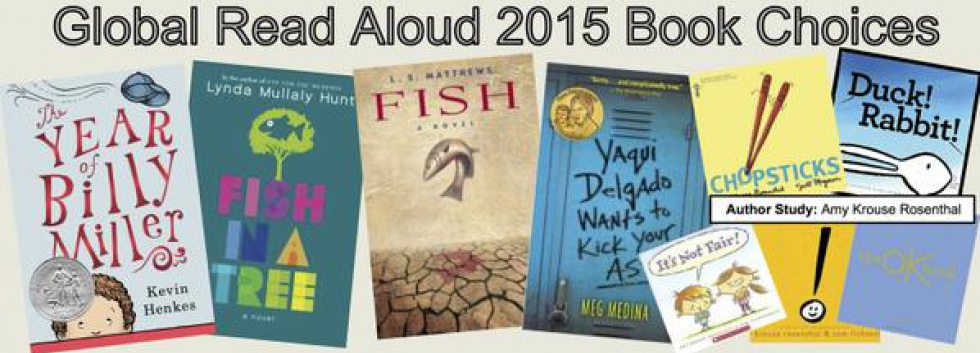
Another activity classes can participate in is Pernille Ripp’s Global Read Aloud. This project is where teachers sign their classes up to read the same book during the same period of time. The students are able to discuss the book with others around the world.
Lisa organizes Quad Blogging between her class and three others from around the world. The teachers decide on a theme. Week 1, class 1 blogs and the other three classes respond with comments. This continues for the next 3 weeks so that each class gets a chance to be authors on an original blog post. The final week, all classes can reflect on the process and discuss what they learned from each other.
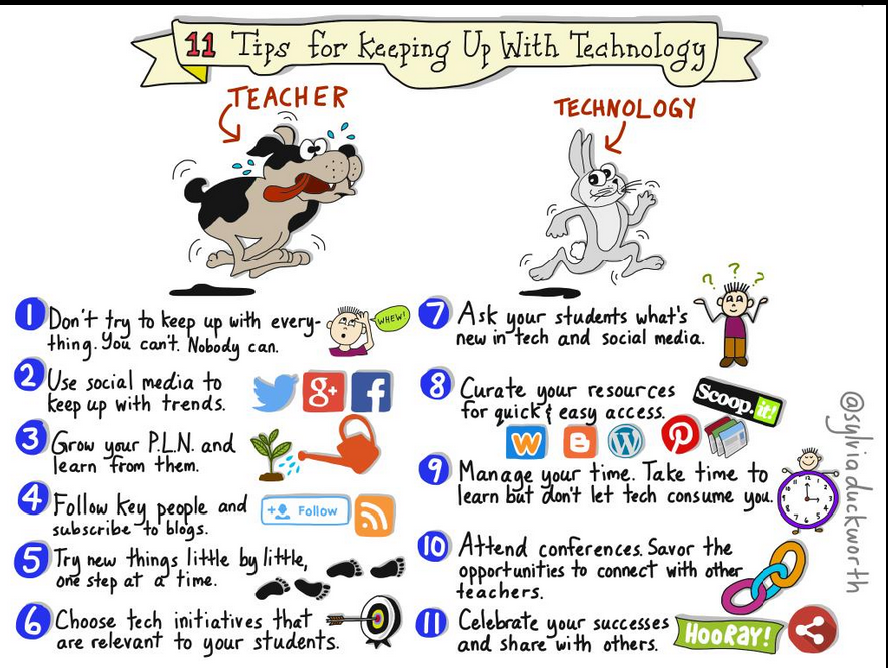
If the technology involved in these projects makes you nervous, there are a lot of other educators out there who have tried something for the first time as well, and are more than willing to help. Search for #edtech or #globaled on Twitter to find them, or investigate Lisa’s wiki to figure out how to jump in!
Keep.UpWith.Tech.ISTE.png

One of the other great messages throughout the conference was the reminder that learning takes place in the process, not the product. If we can teach kids how to pick themselves up after each try and continue the process, we will be cultivating a growth mindset that will propel them forward.


#notatiste, but still learning!