Thursday, February 23, 2017

Going on Safari in South Africa with 5th Graders

Going on Safari

I discovered Wild Earth’s Safari Live over my Winter Break, and immediately became a fan, both personally and as an educator. WildEarth streams Safari Live, a live, interactive broadcast of a safari drive in South Africa twice daily for three hours each day. The guides are super knowledgeable and entertaining, and we loved that we never knew what we were going to see! Thank you Erik Moore for posting about it in the Google+ Community Connected Classroom Workshop.

About WildEarth
WildEarth Mission Statement:

“Our mission is to provide people around the world with immersive experiences in nature. WildEarth is a dedicated LIVE wildlife platform that focuses on connecting people to animals.”

Info about WildEarth:
WildEarth streams Safari Live, a live, interactive broadcast of a safari drive twice daily for three hours each day. The broadcast is streamed on four platforms: Wildearth.tv, Ustream, YouTube, and NatGeoWild. Viewers may submit questions to the presenters via email, Twitter, and YouTube Chat.


My first thought was a science connection, but I quickly realized the potential to expand across disciplines. In 5th grade, we focused on the following as a base academic layer.

Essential Question: How does energy move within an ecosystem?
Standard:
5-PS3-1 Use models to describe that energy in animals’ food (used for body repair, growth, motion, and to maintain body warmth) was once energy from the sun.
Product: Make a model of the food webs you discovered on Safari Live. Show how the energy was once energy from the sun.

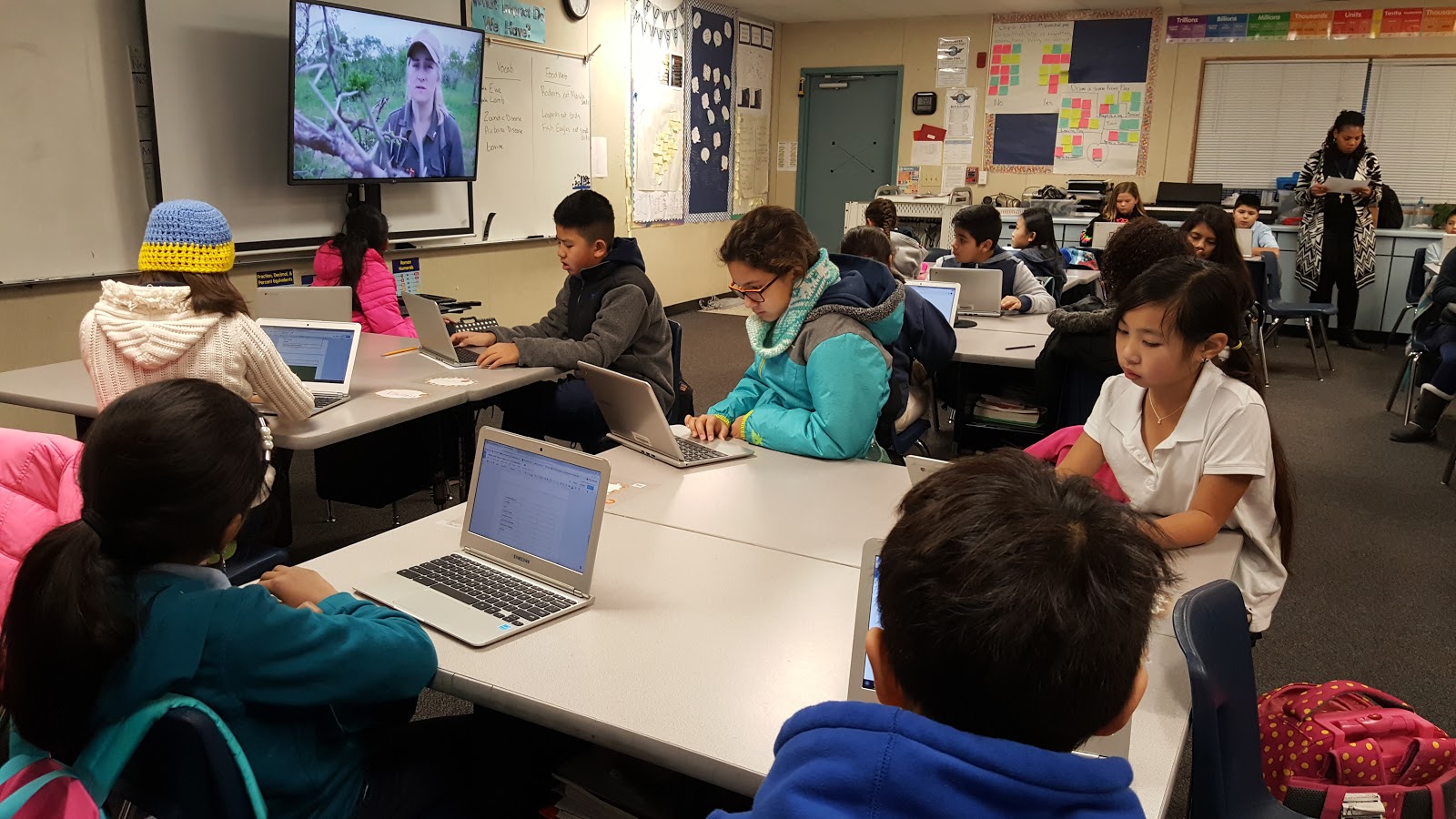
I made the students a note page and pushed it out through Google Classroom so that they would be interacting with the content as we watched. The beauty of having a live safari is that you don’t know what content will end up on your page. Talk about releasing control! We initially didn’t sign up for a specific school slot because of our time zone, but we could easily tune in through their YouTube channel and watch the last hour of the sunset drive.
Vocabulary

Determine or clarify the meaning of unknown and multiple-meaning words and phrases based on grade 5 reading and content, choosing flexibly from a range of strategies.

I wrote vocabulary words up on the board as they came up, and the students researched the definition right then so that they would have a greater understanding of the information the guides were sharing. Here is an example of the vocab we covered. (I only gave the definitions after they had a chance to grapple with the meaning in the context of the safari.)
Here is what the vocab portion of their notepage looked like from a different day. I liked it because they had to show their own understanding of the words, and we came back to them each time we watched safari.
Let’s build our knowledge!
  • Collect words that are important to know while you are watching Safari Live.
  • Figure out the definition and add an image if appropriate.
  • Add more rows as needed by pressing Tab when in the last cell.
Vocab Word
Definition
Image
Mud Wallow
To lie or roll in mud.
Predator
An animal that naturally preys on another.
Stalk
To pay a very close attention on someone or something.
Thicket
A dense group of bushes and trees.

Science

5-PS3-1 Use models to describe that energy in animals’ food (used for body repair, growth, motion, and to maintain body warmth) was once energy from the sun.

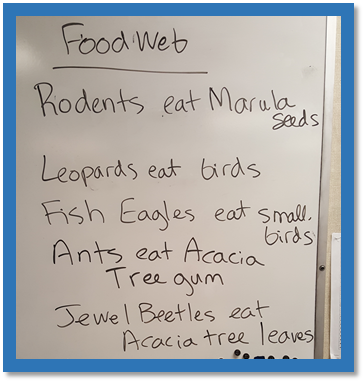
To keep focused on this standard, another portion of their student note page was devoted to who eats what. I wrote notes on the board for them to copy, but it would be up to them later to categorize and connect it all.

After students had watched for several sessions, I taught them the terms that would help them make connections within this habitat. They had to pull from their note page and fill in the following food pyramid. They were given the titles for the sections, and they had to figure out where each plant and animal went. They worked in groups to do this, so there was a lot of great negotiation in language going on.
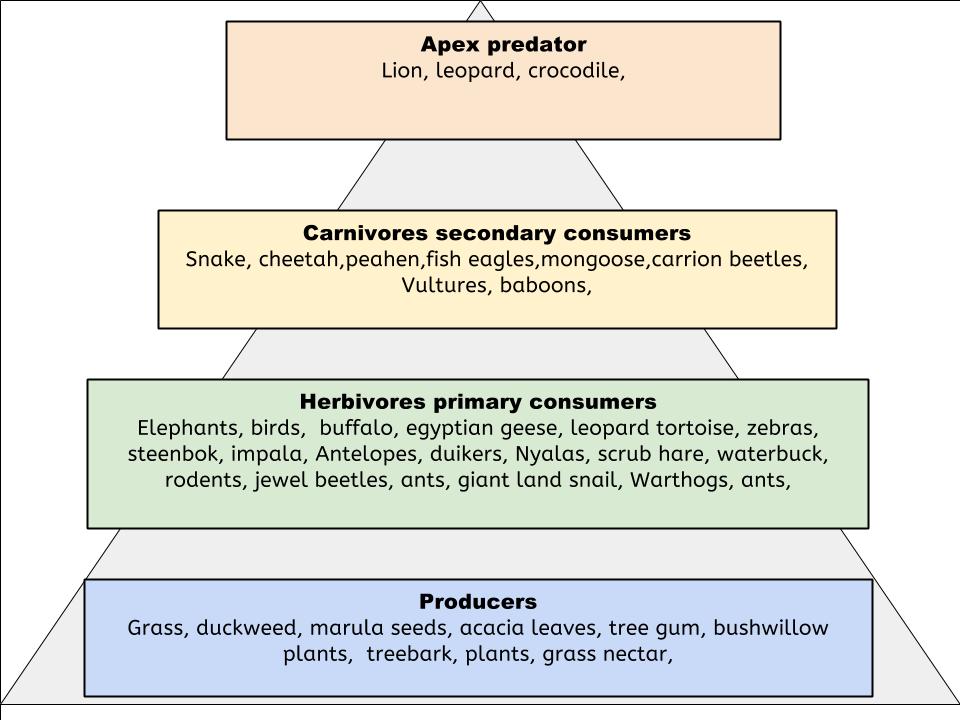

After this step was completed, they formed different groups depending on which category they wanted to work in. Their task was to create a bulletin board that was a combination of all of their information. I drew the outline of the pyramid, and they did all the rest. Each group was tasked with agreeing on what truly belonged in their category, and deciding who would be responsible for creating each piece. They had to have both vocabulary and images on the board. The energy that went into this creation was exciting!


Writing

CCSS.ELA-LITERACY.W.5.3
Write narratives to develop real or imagined experiences or events using effective technique, descriptive details, and clear event sequences.
Use narrative techniques, such as dialogue, description, and pacing, to develop experiences and events or show the responses of characters to situations.
Draw evidence from literary or informational texts to support analysis, reflection, and research.
Use precise language and domain-specific vocabulary to inform about or explain the topic.


The writing that students engaged in along the way covered multiple standards. I used images that viewers posted on Twitter as a visual prompt each morning. Students were asked to write descriptive sentences about the images, create dialogue between two characters in the image, read facts about the animals in the image and write a quick paragraph about it, and complete writing pieces that I started for them. They practiced using evidence from sources, matching the author’s purpose, narrative writing techniques, and including domain-specific vocabulary in their writing.
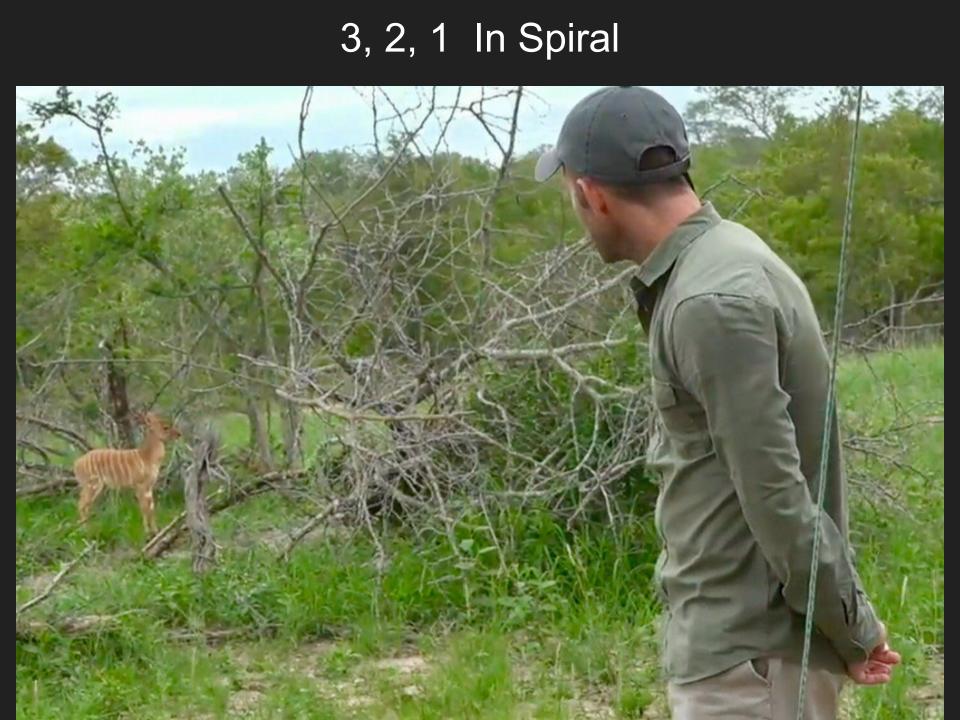

Missing Introduction and Conclusion assignments were great mini lessons that helped students focus on one area of their writing at a time.


Speaking and Listening

Engage effectively in a range of collaborative discussions (one-on-one, in groups, and teacher-led) with diverse partners on grade 5 topics and texts, building on others' ideas and expressing their own clearly.
Come to discussions prepared, having read or studied required material; explicitly draw on that preparation and other information known about the topic to explore ideas under discussion.
Follow agreed-upon rules for discussions and carry out assigned roles.
Pose and respond to specific questions by making comments that contribute to the discussion and elaborate on the remarks of others

Students had multiple opportunities to share ideas with each other throughout our time using Safari Live content. They shared their writing with each other in order to get new ideas for themselves and get feedback on their skills, they had to negotiate and agree on how the bulletin board was formed, and they helped each other figure out vocabulary and relationships among plants and animals.
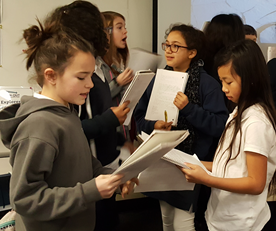
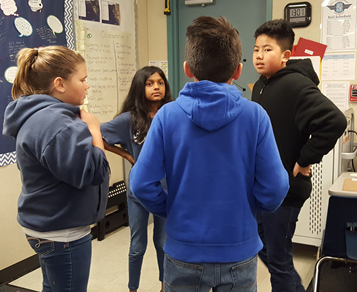
Thank you Wild Earth for making this amazing opportunity available to us! #safarilive
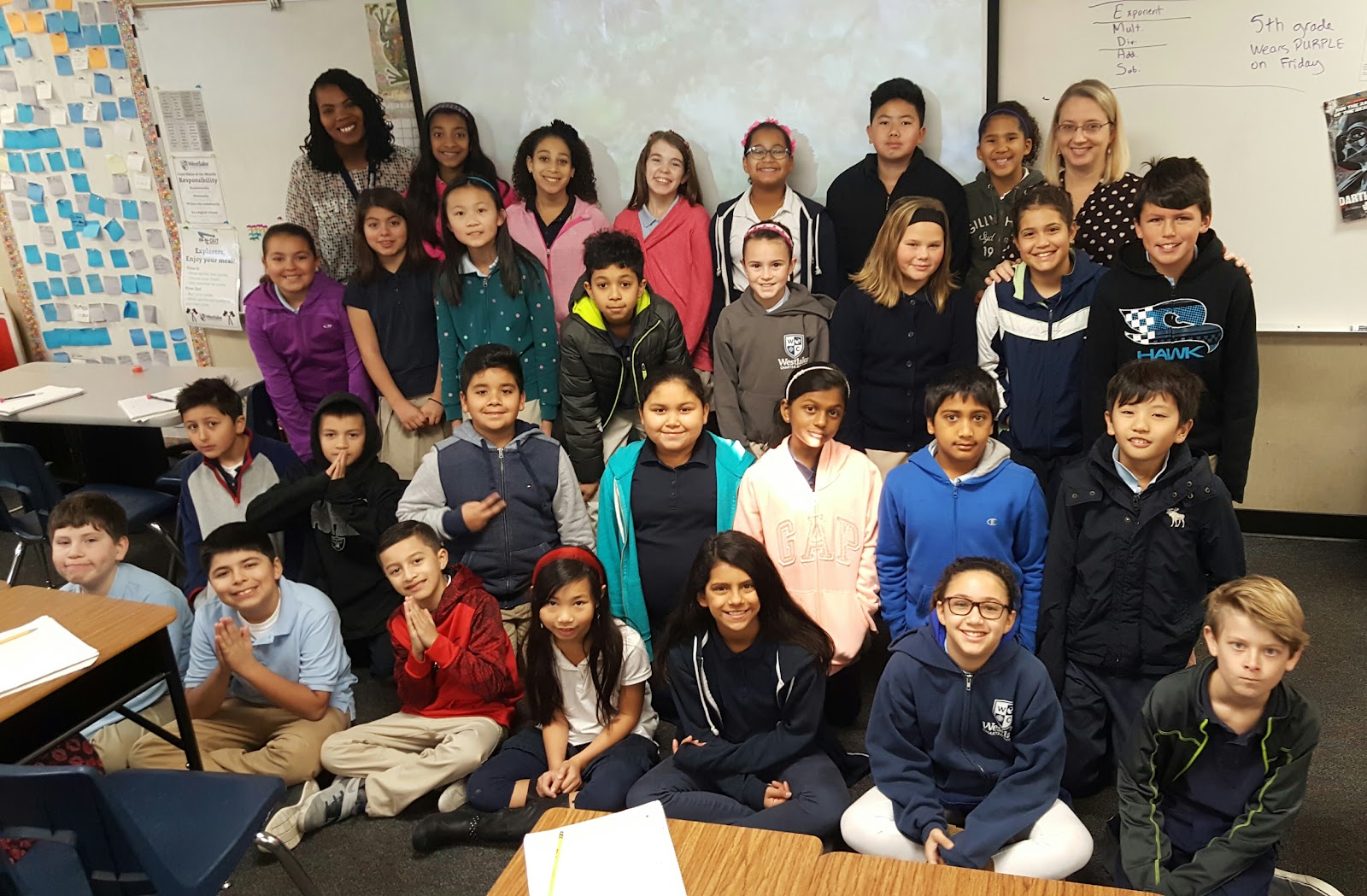


Feel free to reach out if you have questions about implementation in your own classroom. @sallyhoyt

Saturday, December 10, 2016

The Power of Sketchnoting is Real

The Power of Sketchnoting is Real-Brief Version
(This is the shortened version of this post. Once I started processing, the extended version came out a bit long! If you want to know ALL the details, it’s here for you.)

People have been buzzing about sketchnoting for a while now. I have dabbled with it, tried it out briefly in my classroom, and attended conference sessions about it. The ideas were brewing.

Based on a couple of collaboration sessions with my team and other colleagues, a unit came together where sketchnoting was key.

Here’s the sequence of lessons that became a series of powerful learning events.

Prep: Use Voice Recorder app on cell phone to record content from Social Studies text. Do one recording for each region to be studied and upload those to Google Drive. I gave them access to the files via links on a Google doc.

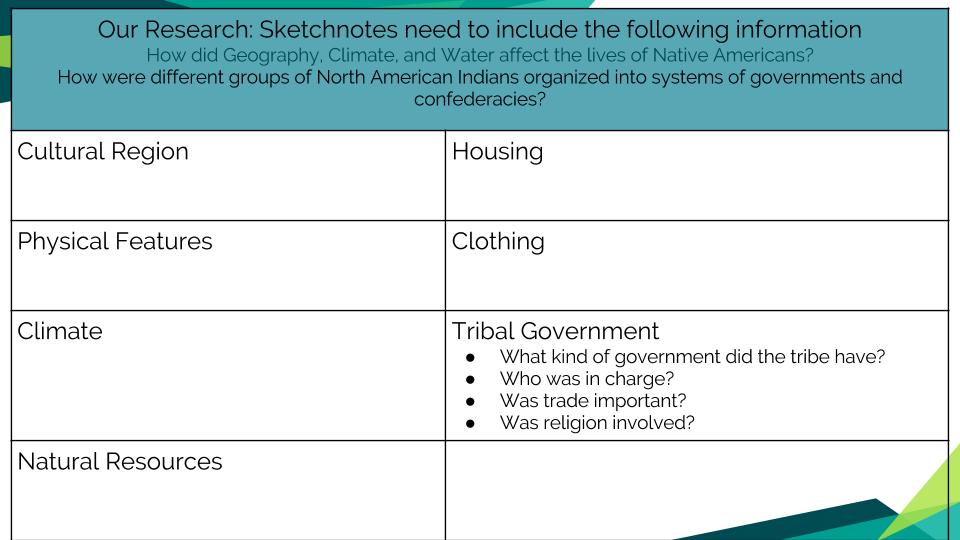
Essential Question: How did Geography, Climate, and Water affect the lives of Native Americans?

Their task: Learn about and understand the following components for your region of the United States. Be able to use your sketchnote to teach others in a jigsaw style. Be able to answer the essential question with specific examples.


Step 1: (15 min) Assign students to one region of the United States and discuss.

Step 2: (10 min) Model the process of sketchnoting for them. I played the audio file that I had recorded for the CA region over the sound system, and sketchnoted on the doc cam. I did a think-aloud while I paused and replayed parts of the recording to model that process for them.

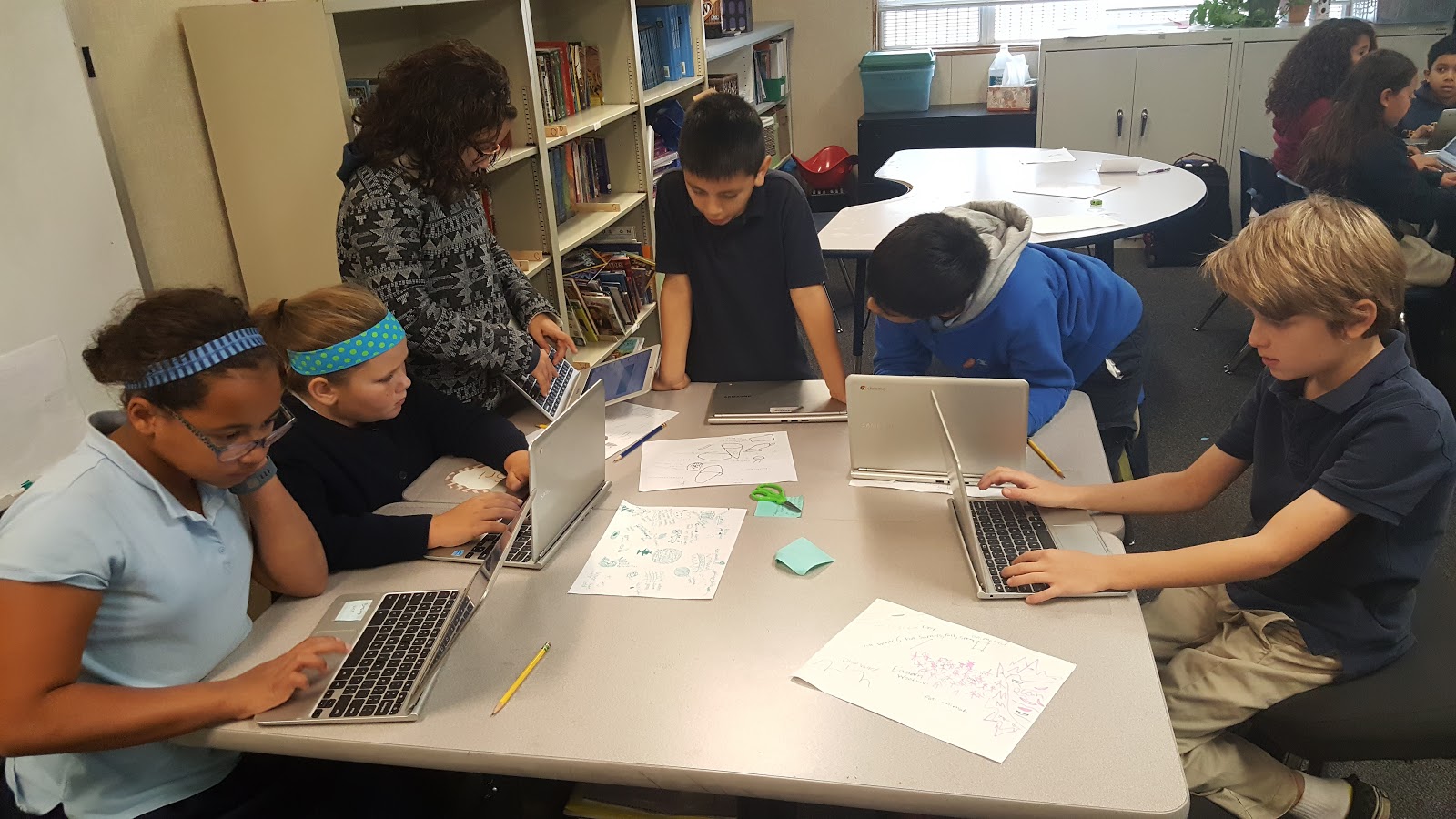
Step 3: (20 min) Have them listen to their region’s recording on their Chromebooks with headphones and begin sketchnoting. They could pause and repeat as needed.

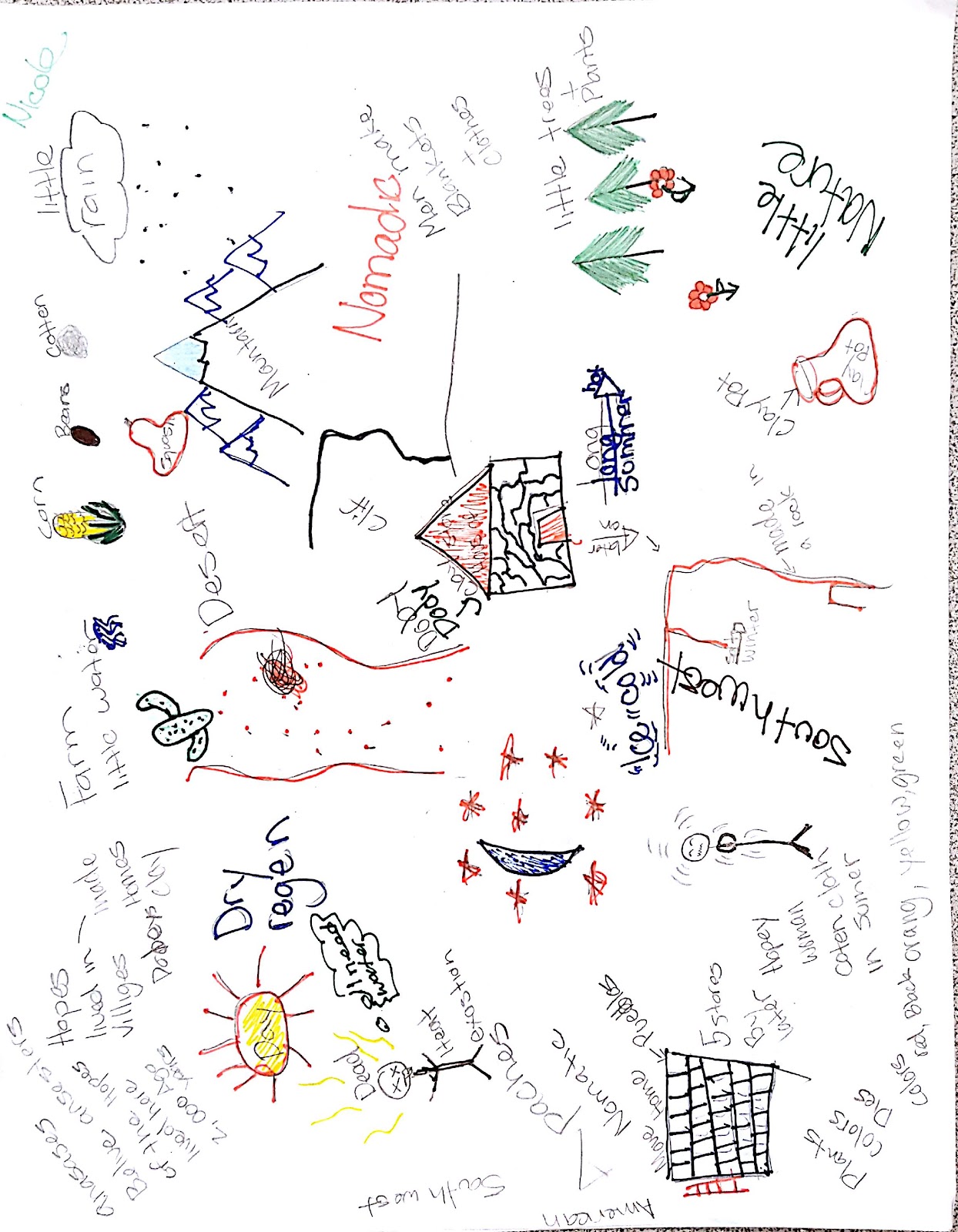
(A finished product)

Step 4: (10 min)  Have them read the same information in the curriculum and add to their sketchnote.

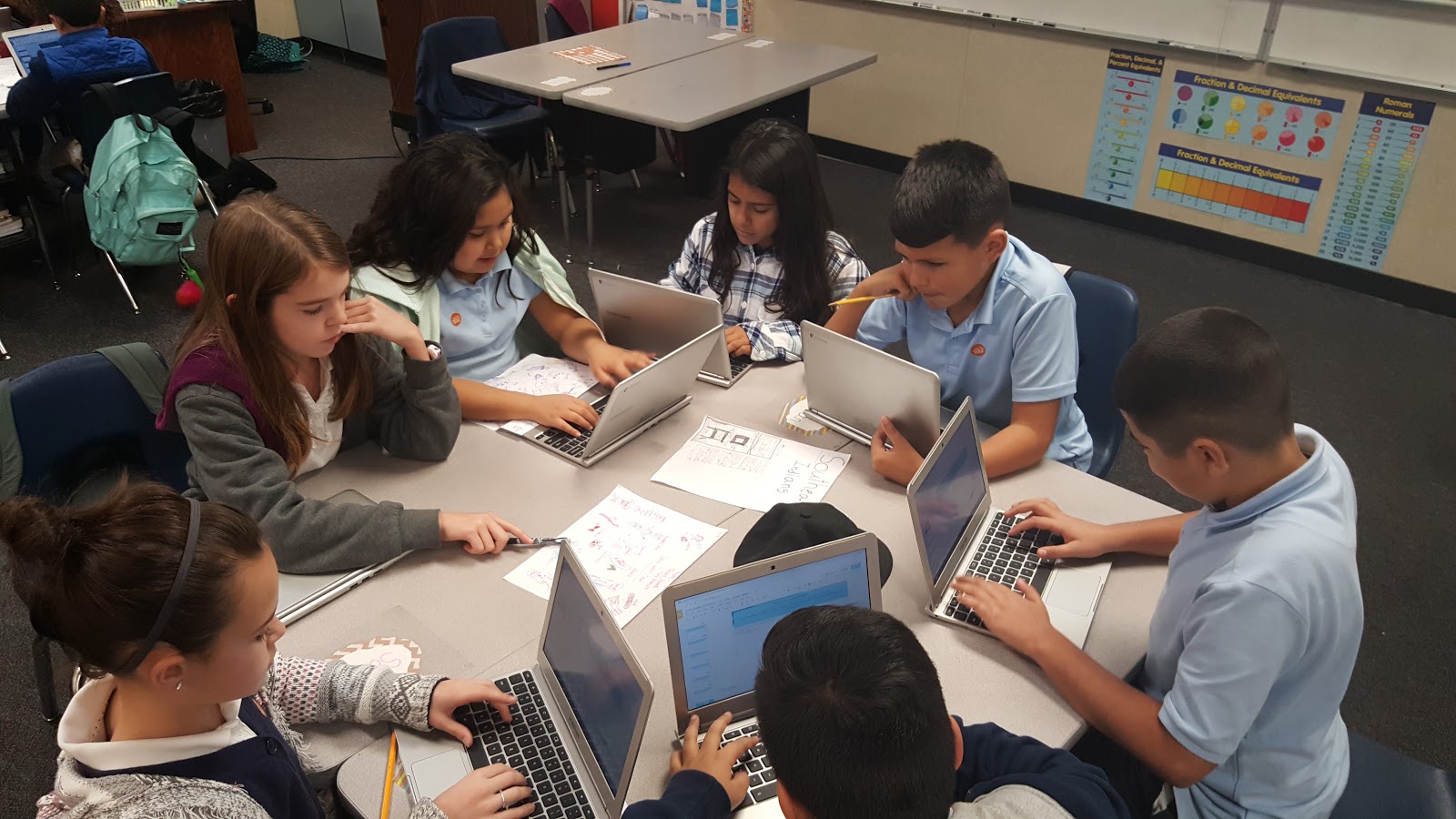
Step 5: (20 min) Put together groups of students that had the same region. They would compare sketchnotes and add even more to their own, based on the ideas from others.

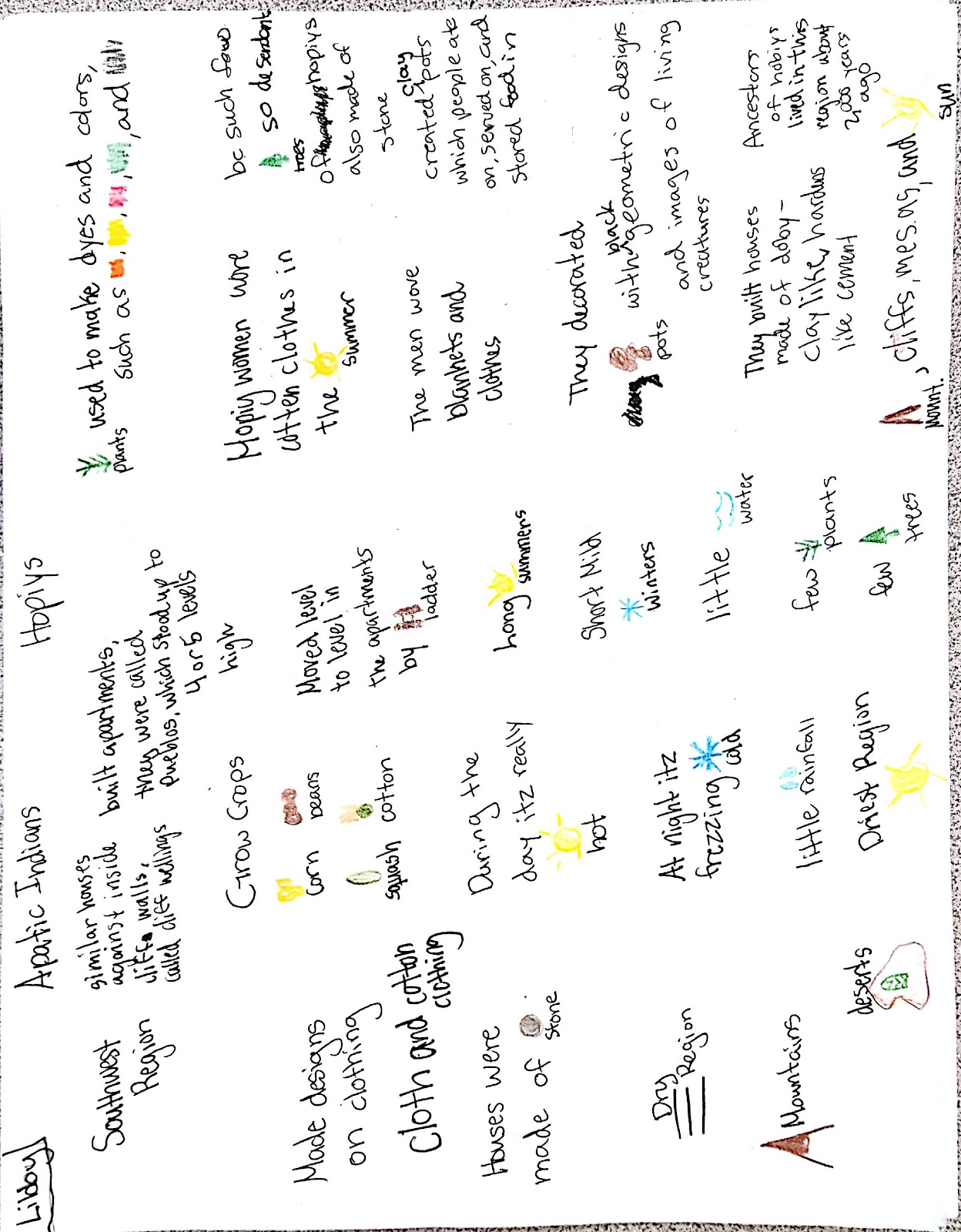
Here are two sketchnotes from the same region (Southwest):

Step 6: (60 min) Split the class up into four groups so that there is one person from each cultural region.
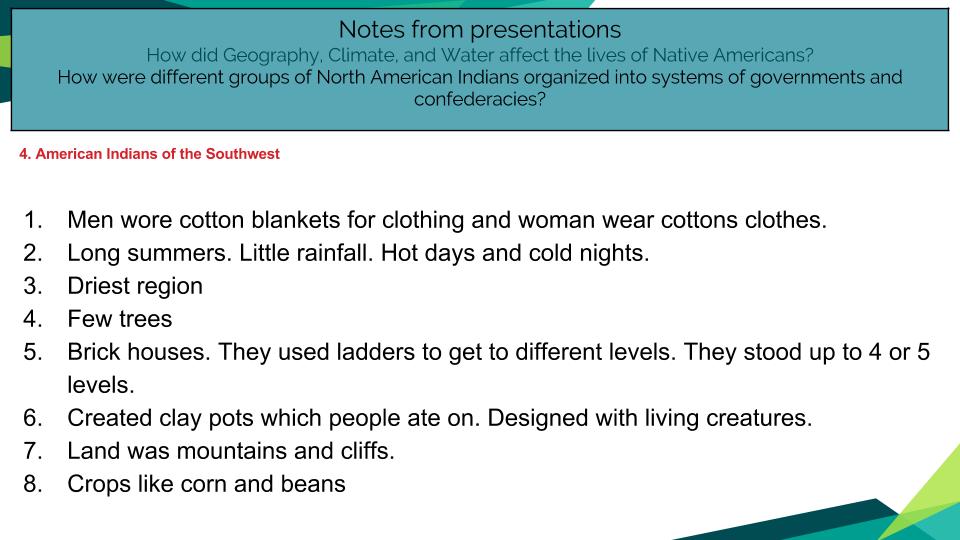
The person who was sharing had 2 minutes to speak. Everyone else gathered around the table so they could hear and had the notepage on their Chromebook open. They could either type while the person was sharing, or just listen and then type when the speaker was done.

(A student’s notepage on the Southwest Region)


No one else was allowed to speak during this time. After the 2 min. was up, the group members could ask questions. This process was repeated for the other 5 regions as well. (We split this section up into two 30 min blocks.)

Step 7: Ask students to answer the essential question in writing. They could use their sketchnotes and note page to pull ideas from.

Takeaways:
  • I was struck by how much each person had to share. Way more than if they had just read and taken notes. 
  • The students didn’t fuss about having perfect art because they had an academic purpose to organize information. The art wasn’t the focus. 
  • The engagement factor was high. 
  • Classroom management was hardly needed. 
  • I can see their thinking on a sketchnote in a way I can’t through writing. It was powerful for me to see.


Grading: I graded their sketchnotes for informational reading, their speaking and listening skills during the group sharing based on my obervations and their digital notes, and asked them to answer the essential question on a Google form for Social Studies content knowledge.

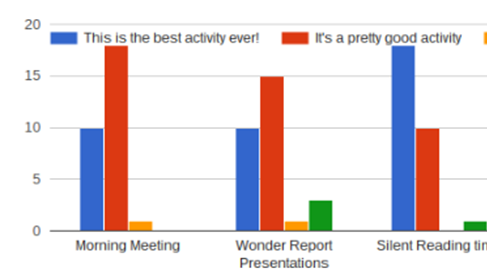
Feedback: I asked students for some feedback on the process. 1 was the lowest score and 5 was the highest.


Would I do this again? You bet!

Sunday, November 13, 2016

A Day in the Life of a 1:1 Classroom

Westlake Charter School 5th Grade

Sometimes people assume that because I have a Chromebook cart in my classroom that I use them all day long. I wanted to document for myself, as well as for others, how much tech my students do use in a day, but more importantly, what the purpose was.

As I document a day below, you’ll see that students hop on and off of their devices all throughout the day. I feel like it is a good balance of extended use and short check-ins that blend with hands-on learning as well. The atmosphere is flexible and not constrained by a schedule of sharing devices. Because of this freedom, I am able to have a dynamic, engaging atmosphere that is supportive of individualized instruction. Students are thriving, and so am I!

7:45
School Begins
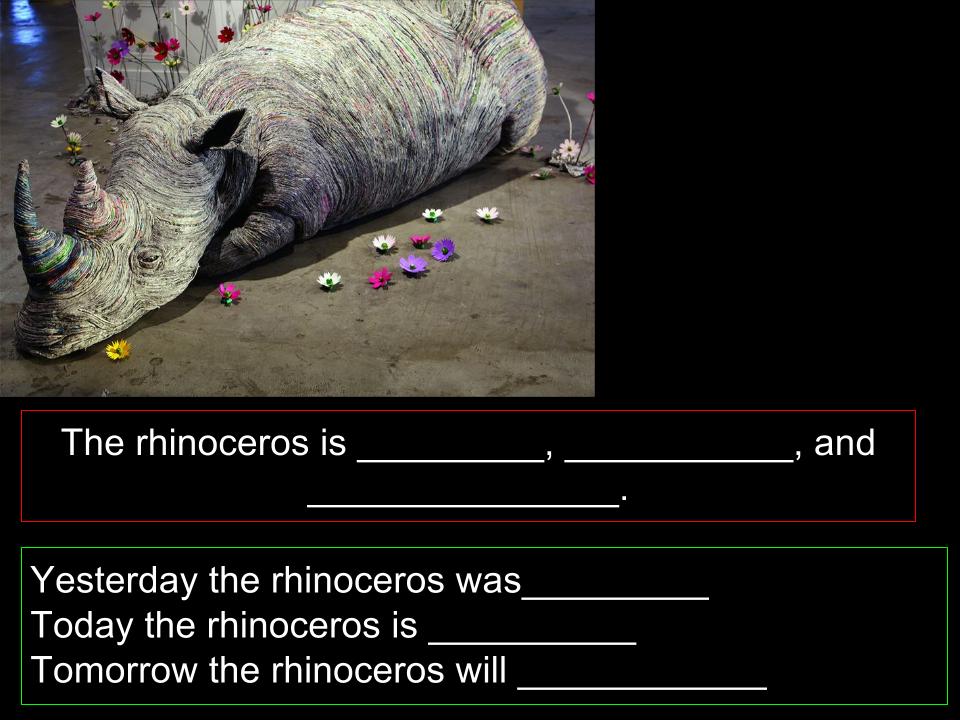
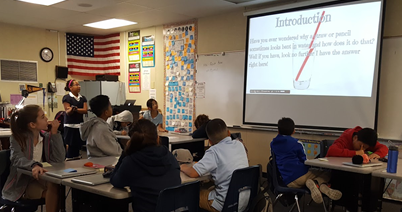
Students come in to see what is projected on the screen. It’s always an image. I ask them to come up with 3 details they notice, 2 questions, and draw a conclusion about what they think is going on. They usually do this in their spiral notebooks. About once every 15 days, I will have them type this into a Google form so that I can assess their sentence construction. I have now added a grammar component in as well. Students share sentences with each other, and I walk around to provide feedback.

1What do you notice.jpg


8:00
Math
Most of the time, I deliver direct instruction and have students explore math content on whiteboards. Sometimes, students will work with McGraw Hill’s online component for our program, My Math.
On this day, I had students construct a number line in Google Draw so they would understand the concept of rounding a decimal to the nearest whole number.  After the number line construction, students worked a few problems in their math book, whole class. I’ll come back to this concept on another day.


8:40
Math continues with differentiation
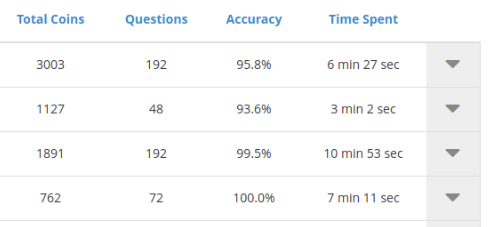
I pull a small group to the carpet who still need help with place value and decimals, while the rest of the class works on Front Row assignments and then Prodigy. Front Row is a subscription we pay for where I can assign students individualized content. Prodigy is a free program where I can also assign students content. I can check in on reports of their progress and monitor how much time they are spending on each domain.


9:00
Wonder Report Research
Students have time to work on a topic of their choice. They need to come up with a question that is more than just Googleable, pull from 2-3 sources (for now), take notes, write either an informational, narrative, or opinion paper (their choice) using their source information, and present it to the class. Some students are currently researching the mystique of the Illuminati, how many emotions we go through in a day, why humans exist, and why people are so interested in sports. This is all done on Chromebooks.

9:20
Wonder Report Presentation
When they are ready to present, I pull up their work on my computer and project it. (Students do all of their work in a 5th grade folder that they share with me so I can access all of their projects at any time.) They present their information while the rest of the class is responsible for recording on a sticky three things they learned from each report for a Speaking and Listening grade. There is no due date, and when they complete one presentation, they start researching their next Wonder.


9:30
Snack Time
About 7 students typically head out to the ramp to have a snack break. The others use these 10 minutes to play each other in Prodigy, code on Scratch, or play Little Alchemy.


9:40
Morning Meeting
We circle up for Morning Meeting every day so that students can engage in the rituals of greeting each other, sharing an idea with the class, participating in an activity, and reading a morning message. When I recently asked students for feedback on our first trimester, 27/28 of them ranked Morning Meeting highly. No tech involved.


10:00
Literacy #grapax
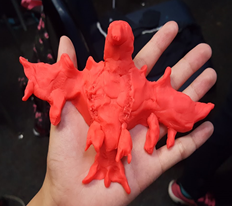
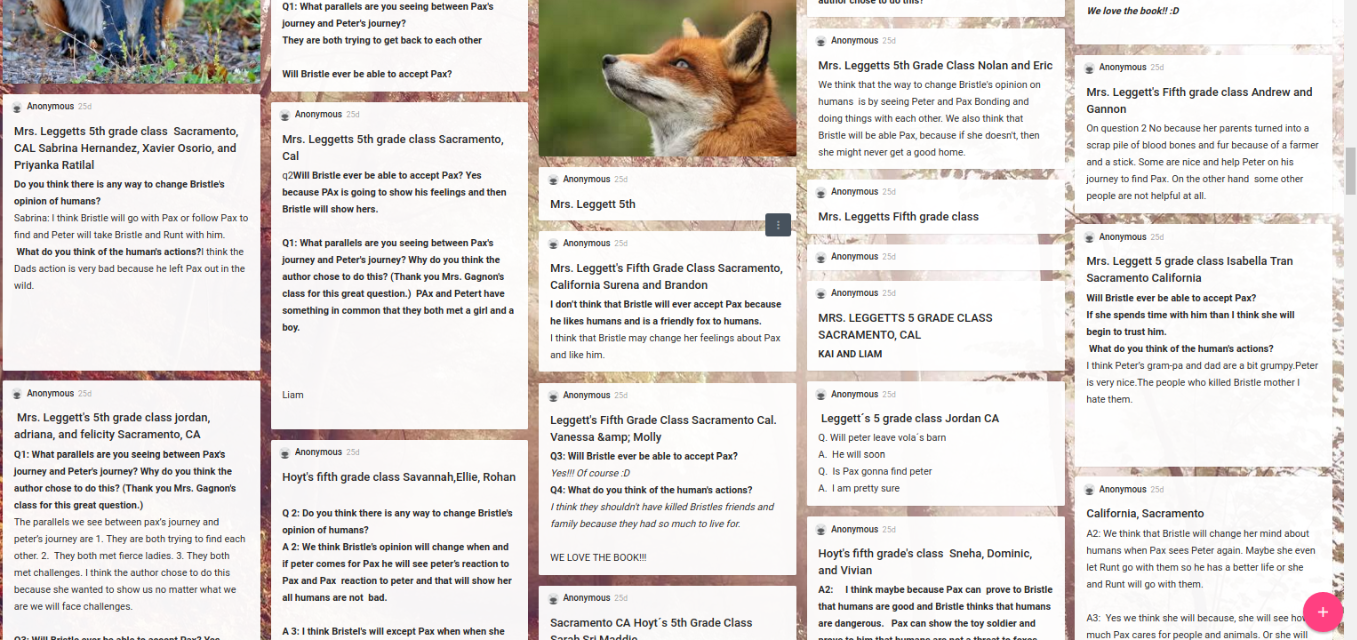
Right now we are participating in The Global Read Aloud and are reading Pax, by Sarah Pennypacker. When I read to them, I project the book through my Kindle app so they can follow along if they want. This way, I can highlight sentences to analyze, or point out vocabulary that is worthy of stopping for. One of the main areas of study in the book is character analysis. We are working up to a major essay comparing the two main characters. Students are working out the scenes with Play-Doh while I am reading, and will share them when our session is complete.


10:20
Character Analysis
Students check in on the Padlet where Chapter 11 Twitter Slowchat questions are being answered. They work in a group of 4 to discuss the questions, type their group’s response on a Google Doc, and then paste it onto the Padlet. Classes from Ohio, Wisconson, Canada, New York, Texas, Illinois, N. Dakota, and Connecticut have also posted here, so the engagement factor is high.


10:45
Recess and lunch


11:30
Silent Reading
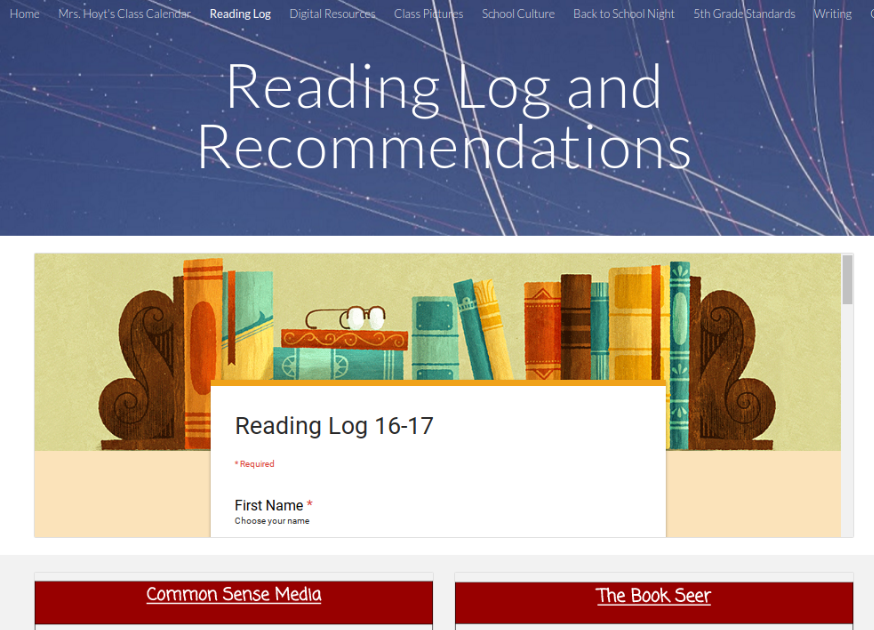
Students are working on their choice of reading goal: AR points (totally optional), 1,000,000 words by the end of the year, and/or 40 books by the end of the year. They track their books when complete on a quick Google Form. They have access to their data anytime. My goal is to conference with them once a week to check in, help them choose books, and push them to expand into new genres. I like that they are able to access their own data whenever they want because it has kept them personally motivated to read, and has allowed them to give recommendations to others as well. The log is located on my class website.


12:00
Science #ngss
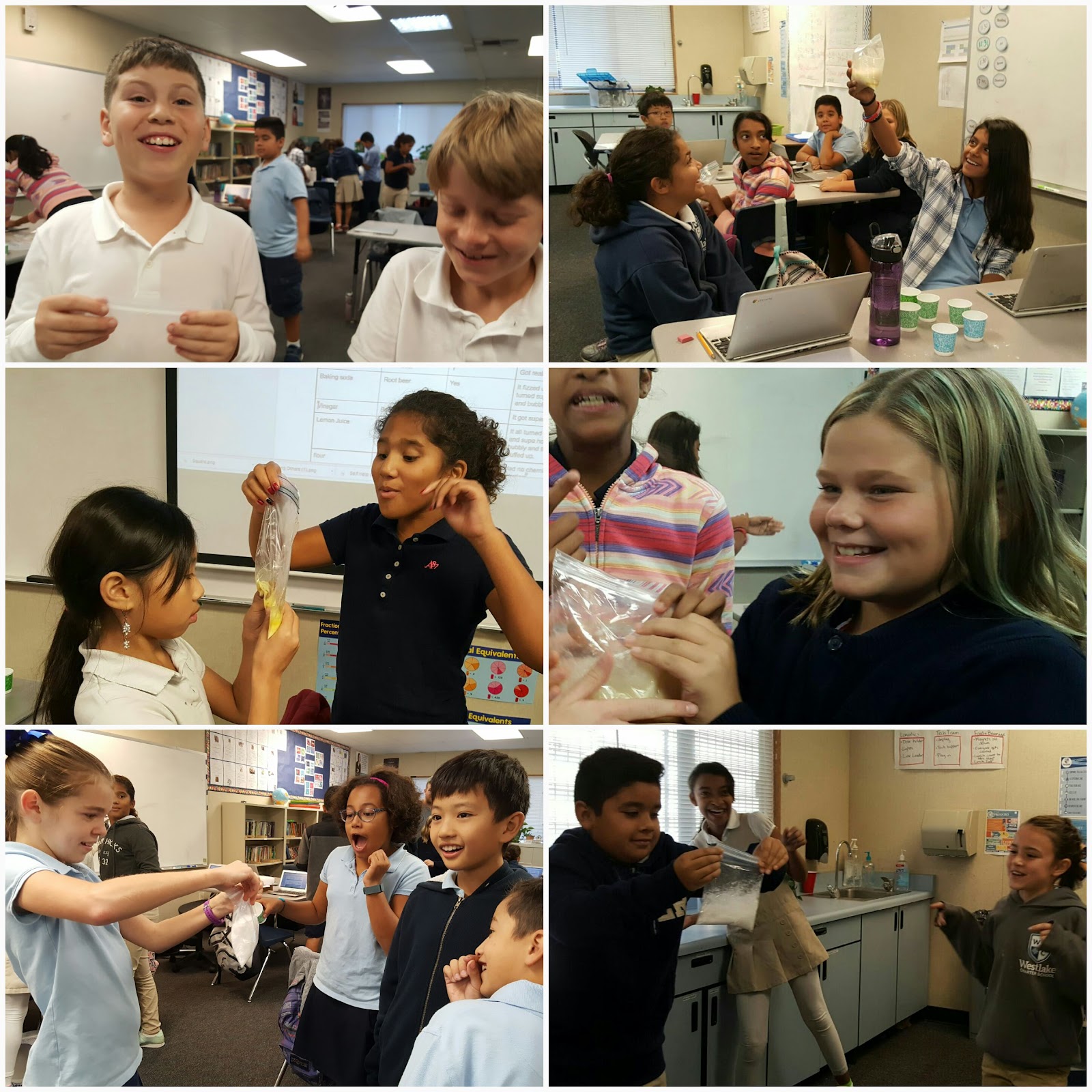
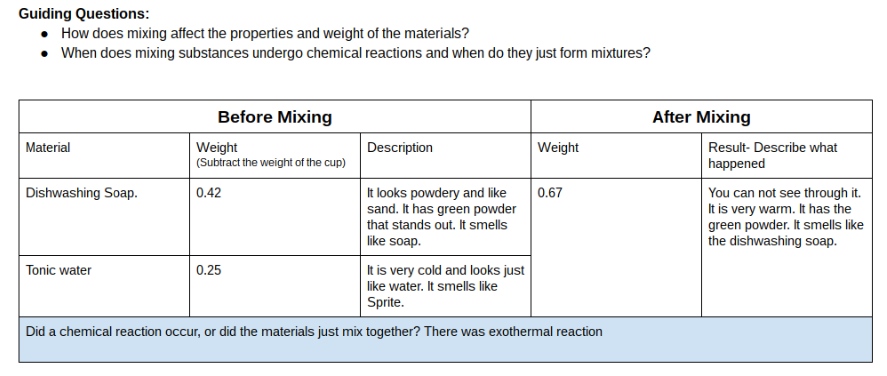
We are currently exploring the changing states of matter. Students are mixing different substances, and weighing them before and after the mixing to determine whether or not matter increases, decreases, or stays the same. They are logging their data on a Google Doc.

20161102_214058 (1).jpg


12:55
Afternoon Recess


1:05
Word Work
All four of our 5th grade classes mix up on Fridays to practice spelling sorts through Words Their Way. They get time to practice in class. Each teacher made a Google Classroom for their spelling group, so students can access their words in their home class. There are directions for practice and word lists to use online. Students work together to sort and spell their words.


1:30
Spanish
Our Spanish teacher comes in, and I have a prep period. She has a Google Classrom set up as well, and the students spend some of their time accessing vocab lists, or instructions for assignments there. She also has them practicing on Duolingo for part of the class on certain days.


2:10
Prep for Virtual Field Trip with Learn Around the World #geoshow
We are taking a Virtual Field Trip to Komodo National Park in Indonesia tomorrow, so students have some exploring to do. They use the iPads we have checked out from the communal cart to scan QR codes on a Google Doc. Each QR code will take them to a different source to explore. Their goal is to find out what makes the Komodo Dragon such a unique and amazing creature so that they will be prepared to share facts and ask questions tomorrow. The sources are a combination of images, reading and a video.


2:45
Dismissal- Whew!